Highway Patrol Precision Run

Highway Patrol Precision Run

Outpost Studio
Driving Racing Arcade

Reviews

Highway Patrol Precision Run stands out for its emphasis on careful driving rather than reckless speed. The track designs progressively challenge your steering control, and the lack of a time limit encourages thoughtful play. The simple keyboard controls are responsive, and the full-screen mode helps with concentration. While the game may not offer flashy graphics or complex features, its core loop of practice and improvement is satisfying for anyone who enjoys precision-based driving challenges. It is a solid choice for a quick, focused gaming session.

About This Game

Track Design & Atmosphere

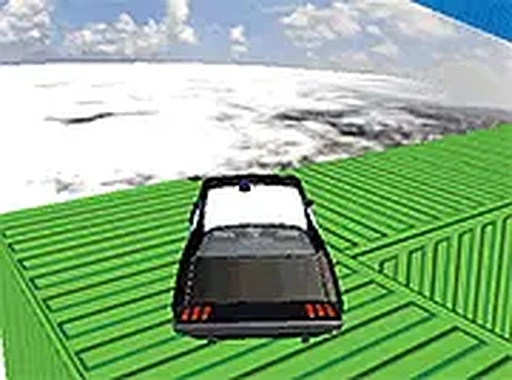
The courses in this game are built around precision driving rather than raw speed. Each track presents a series of tight corners, narrow pathways, and obstacles that test your ability to maintain control under pressure. The environments are designed to feel like real road networks, with barriers and edges that require constant attention. As you progress, the layouts become more complex, introducing sharper turns and tighter spaces that demand careful planning before each maneuver. The visual style keeps the focus on the road ahead, with clear markings and a clean interface that helps you concentrate on the driving task.

Vehicle Handling & Control

Your patrol vehicle responds to keyboard inputs with a realistic steering feel. Acceleration and braking are managed through the arrow keys or WASD setup, allowing for smooth speed adjustments. The down arrow or S key provides reverse capability, useful for repositioning after a mistake. Gentle inputs are rewarded with stable cornering, while aggressive steering can lead to loss of control. This handling model encourages a measured approach, where patience and precision outperform reckless speed. Each vehicle may have slightly different handling characteristics, adding variety to the driving experience.

Progression & Challenge Structure

The game uses a level-based progression system where completing one track unlocks the next. Early stages serve as an introduction to basic steering and speed management, while later levels introduce more demanding layouts that require memorization and practice. The difficulty curve is gradual, allowing players to build skills incrementally. There is no time limit on individual tracks, so the focus remains on safe completion rather than rushing. This structure suits players who enjoy mastering a course through repeated attempts and learning from each run.

Accessibility & Platform

Highway Patrol Precision Run is designed for quick access through a web browser on a desktop computer. No registration or download is needed to start playing. The full-screen mode provides an immersive view that helps with concentration on complex tracks. The simple control scheme means anyone with a keyboard can pick up the game and begin practicing immediately. This low barrier to entry makes it easy to jump in for a few minutes or settle in for a longer session of track mastery.


Compatibility

This H5 game runs smoothly on:
• Desktop computers (Windows / Mac) • Mobile phones (iPhone / Android)
• Tablets (iPad / Android)
🌐 Best experienced with Chrome, Safari, or Edge

Faq

Can I play Highway Patrol Precision Run on a mobile device?
The game is designed for desktop computers with a keyboard. It may not function properly on mobile devices or tablets because the controls rely on physical keys. For the best experience, use a laptop or desktop computer with a full keyboard.
Is there a time limit for completing each track?
No, there is no time limit on any track. You can take as long as you need to navigate each course carefully. This allows you to focus on precision and control rather than rushing, which is especially helpful when learning difficult sections.
How many tracks are available in the game?
The game includes a series of tracks that increase in difficulty as you progress. The exact number is not specified, but each level must be completed to unlock the next. The challenge grows gradually, offering plenty of content for practice and mastery.
Do I need to create an account to save my progress?
No account or registration is required. The game runs entirely in your browser and progress is typically saved locally. If you clear your browser data, you may lose your progress, so consider keeping your browser settings stable.
What happens if I crash during a track?
If your vehicle crashes into a barrier or goes off the road, you will need to restart the track from the beginning. There are no checkpoints, so careful driving is essential. Each crash is a learning opportunity to adjust your approach on the next attempt.
Can I change the control keys from the default arrow keys?
The default controls use the arrow keys or WASD keys for movement. The game does not appear to offer a key remapping feature. You will need to use one of these two standard setups to control your vehicle.

Comments

0 comments
U
User
★ ★ ★ ★ ★
Loading comments...