Play
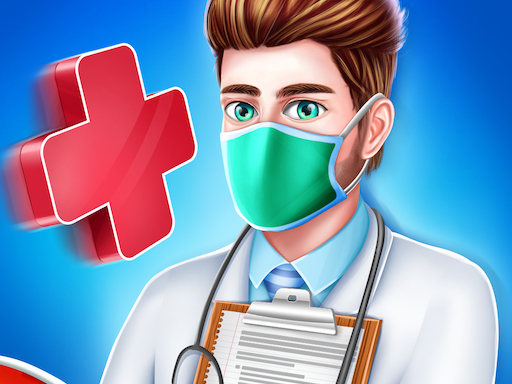
Kids Hospital Doctor Care Game
Showtime

Kids Hospital Doctor Care Game

Girls
Developer: Branch Reapers Creations
Published: 2024-08-03
Updated: 2026-06-27

Kids Hospital Doctor Care Game offers a safe, engaging medical experience for young children. The colorful doctor offices and interactive minigames teach empathy and basic healthcare in a fun way. Simple touch controls make it easy for toddlers to play. The ambulance missions add excitement without being scary. A wholesome choice for parents seeking educational screen time.

Plays in your browser — no install.

About this game

Game Introduction

Kids Hospital Doctor Care Game invites players to manage a bright and friendly children's hospital. As a caring doctor, you welcome young patients with various needs. Each child has a unique symptom that guides you to the correct doctor's office. Inside, you find colorful objects and a special minigame that makes treatment enjoyable. From listening with a stethoscope to applying a gentle bandage, every activity is designed to be safe and fun. An ambulance car brings new patients, keeping the clinic busy. This game combines learning with play, teaching empathy and teamwork in a secure environment. It is suitable for all ages and provides hours of wholesome entertainment.

How to Play

To play, start by welcoming children who arrive at the clinic. Tap on each patient to learn about their symptoms. Then, drag them to the matching doctor's office. Once inside, you can play interactive minigames like using a stethoscope or giving a gentle bandage. Complete each activity quickly to heal the child and earn rewards. Keep an eye on the ambulance as it rushes in with new cases. The game uses simple touch controls, making it easy for young players to learn. Progress through different levels, each with new challenges and treatments. The goal is to help every child feel better and see their smiles return.

Game Features

Colorful doctor offices with unique themes. Interactive minigames that make treatment fun. Ambulance missions that bring new patients. Kid-friendly treatments with no violence or scary content. Simple touch controls for easy play. Levels that introduce new challenges and rewards.

Tips for Success

Pay close attention to each patient's symptoms to choose the correct office. Complete minigames carefully to earn more rewards. Manage your time efficiently as new patients arrive via ambulance. Practice each treatment activity to become faster and more accurate. Encourage teamwork by helping all children in the clinic. Enjoy the learning experience and celebrate each child's recovery.


Compatibility

▸ Desktop: Chrome / Edge / Firefox / Safari
▸ Mobile: iOS Safari / Android Chrome
▸ Tablet: iPadOS Safari / Android Tablet Browser
Keep your browser updated for the best experience
FAQ
Is Kids Hospital Doctor Care Game free to play?
The game is designed as a free-to-play experience for children. Some versions may include optional in-app purchases for cosmetic items or additional levels, but the core gameplay is accessible without any payment.
What age group is this game suitable for?
This game is suitable for children aged 3 to 8 years. The simple touch controls, bright colors, and non-violent medical activities make it appropriate for preschool and early elementary age kids.
Does the game require an internet connection?
The game can be played offline after the initial download. However, some features like updates or additional content may require an internet connection. The main gameplay does not rely on online connectivity.
Can multiple children play on the same device?
Yes, the game supports multiple profiles or save slots, allowing different children to play and progress separately. Each child can have their own hospital and patient records.
Are there any ads in the game?
The game may contain child-safe advertisements from trusted networks. These ads are non-intrusive and do not disrupt gameplay. Parents can review ad settings in the game's options menu.
How do I reset my progress in the game?
To reset progress, go to the settings menu and look for a 'Reset Game' or 'Clear Data' option. This will erase all saved levels and rewards, allowing you to start fresh. Confirm the action when prompted.
Advertisement

Related Titles