Play
Balloon Zombie Defense
Showtime

Balloon Zombie Defense

Action Blaster Defense
Developer: Harbor Pixel Games
Published: 2024-07-28
Updated: 2026-06-12

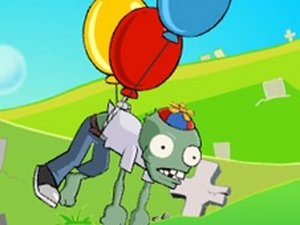
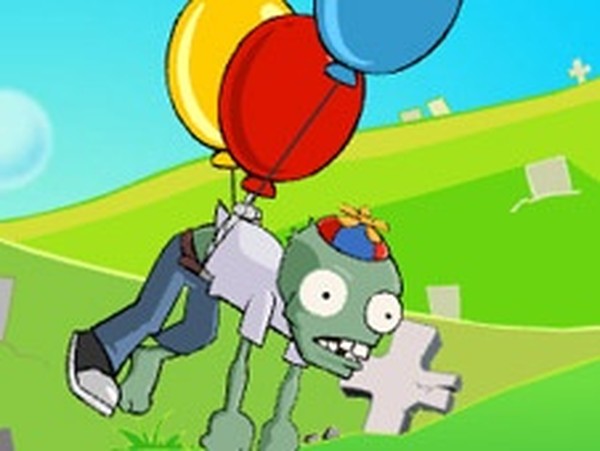
Angry Balloon Zombies is an engaging defense game where you pop balloons to defeat falling zombies. The controls are simple, and the challenge increases as you progress. It helps improve accuracy and quick thinking, making it great for family play. The game is entirely family-friendly with no violent content, just pure action and fun.

Plays in your browser — no install.

About this game

Game Introduction

Balloon Zombie Defense is a family-friendly action game where you protect your home from zombies descending from the sky, each attached to a balloon. Your goal is to pop the balloons, causing the zombies to fall and earn points. The game tests your aim and reflexes as you prevent zombies from landing safely and attacking your house. With simple mechanics and a lighthearted theme, it offers an engaging experience suitable for all ages.

How to Play

Players control a plant positioned on a house, moving up and down to aim at incoming zombies. Use the arrow keys to adjust your position and a dedicated action button to shoot. The key is to target the balloons that carry the zombies; popping them makes the zombies crash to the ground. If too many zombies land safely, they will attack your house. You have a limited number of lives—typically three—and losing them all ends the game. Some versions may include power-ups, like chili grenades, to help clear ground zombies.

Game Features

This game combines blaster mechanics with defense strategy, improving accuracy and reflexes. It features a simple control scheme, making it accessible for beginners and younger players. The scoring system rewards precise shots, and the increasing difficulty as more zombies appear keeps the action engaging. The game may include power-ups to assist in tougher waves. Its cartoon-style visuals and non-violent theme ensure a safe, fun experience for everyone.

Tips for Success

Practice your aim to pop balloons quickly and efficiently. Prioritize zombies that are closest to landing, as they pose the greatest threat. Use power-ups wisely—save them for moments when multiple zombies are about to land. Stay calm and focus on accuracy over speed, as rushed shots often miss. Learn the movement patterns of zombies to anticipate their descent. Finally, take breaks if needed to maintain sharp reflexes and enjoy the game longer.
✅ Compatibility & Testing

• Desktop (Windows 11, macOS Ventura)
• Mobile (iPhone 14, Samsung Galaxy S23)
• Tablet (iPad Pro, Android tablet)
✅Supported browsers: Chrome, Safari, Edge, Firefox (latest versions)
❌ Not supported: Internet Explorer, older browser versions
FAQ
Is this game suitable for young children?
Yes, the game features a cartoon style with no graphic violence. Zombies are depicted in a humorous, non-threatening way, and the action focuses on popping balloons rather than direct combat. It is designed to be safe and enjoyable for players of all ages.
Can I play this game on mobile devices?
The game is typically designed for desktop browsers with keyboard controls, but some versions may be adapted for touchscreens. Check the platform's description for specific device support. If mobile support is available, controls are usually simplified for tapping.
Are there different difficulty levels?
The game may include varying difficulty levels or a gradual increase in challenge as you progress. Common settings include Easy, Medium, and Hard, which affect zombie speed and frequency. However, not all versions offer explicit difficulty options.
How do I earn bonus points or power-ups?
Bonus points are typically awarded for consecutive successful shots or for popping multiple balloons in quick succession. Power-ups, such as chili grenades, may appear randomly or after defeating a certain number of zombies. Use them to clear groups of ground zombies.
What happens when I lose all three lives?
When you lose all lives, the game ends and you must restart from the beginning. Your final score is recorded, and you can try again to beat your previous high score. Some versions may offer a continue option or save your best score.
Is there a way to pause the game?
Most browser-based games include a pause feature, often activated by pressing the Escape key or clicking a pause button on the screen. This allows you to take a break without losing progress. Check the game interface for a pause icon.
Advertisement

Related Titles