Play
Pumpkin Pop Puzzle Game
Showtime

Pumpkin Pop Puzzle Game

Puzzle
Developer: Balance Reign Digital
Published: 2025-07-12
Updated: 2026-06-07

Pumpkin Blast offers a fresh take on puzzle games with its explosive mechanics and cheerful theme. The levels are well-designed, gradually increasing in complexity without becoming frustrating. The three-star rating system encourages replaying levels to improve your strategy. It is a safe, engaging game that sharpens logical thinking. Perfect for quick sessions or longer play.

Plays in your browser — no install.

About this game

Game Introduction

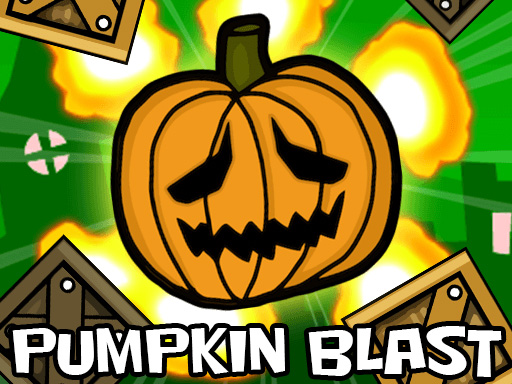
Pumpkin Pop Puzzle Game is a cheerful clicker puzzle experience where players help a friendly pumpkin character escape from a tricky prison. The core objective is to guide the pumpkin safely to a designated goal area in each level. What makes this game unique is its playful use of explosive items that move the pumpkin in specific directions, adding a layer of strategy to traditional puzzle solving. With bright, colorful graphics and a lighthearted theme, it offers a fun and relaxing challenge suitable for players of all ages.

How to Play

Players interact with the game by clicking or tapping on explosive items placed around each level. Triggering these items pushes the pumpkin in a certain direction, so careful planning is needed to navigate obstacles like spikes. The goal is to land the pumpkin in the safe zone using as few attempts as possible. The controls are simple and intuitive, making it easy for anyone to pick up and play. Each level can be replayed to improve performance and earn a higher score.

Game Features

The game features a variety of puzzles that require logical thinking and strategic clicking. It includes a three-star rating system that rewards efficiency and skill. Multiple levels with increasing difficulty provide a gradual challenge. The family-friendly design ensures a safe and enjoyable experience for all ages. Bright, cheerful graphics and a playful theme make it an appealing choice for casual gaming sessions.

Tips for Success

Take your time to study each level before making a move. Observe the placement of explosive items and obstacles to plan the best sequence of clicks. Try to minimize the number of attempts, as fewer tries lead to higher star ratings. Replaying levels can help you discover more efficient solutions. Practice patience and think ahead to master the puzzles and achieve three stars on every stage.


Compatibility

This H5 game runs smoothly on:
• Desktop computers (Windows / Mac) • Mobile phones (iPhone / Android)
• Tablets (iPad / Android)
🌐 Best experienced with Chrome, Safari, or Edge
FAQ
Is Pumpkin Pop Puzzle Game free to play?
The game is typically free to play online, though some versions may include optional in-game purchases or ads. It is designed to be accessible without any upfront cost, allowing players to enjoy the puzzles at their own pace.
Can I play Pumpkin Pop Puzzle Game on mobile devices?
Yes, the game is often available on both desktop and mobile platforms. The clicker mechanics are optimized for touch controls, making it easy to play on smartphones and tablets. Check your device's app store or the game's website for availability.
Does the game have a time limit for each level?
No, there is usually no time limit. Players can take as much time as they need to plan their moves and solve each puzzle. This makes it a stress-free experience that encourages careful thinking and strategy.
Are there any in-app purchases in Pumpkin Pop Puzzle Game?
Some versions may offer optional in-app purchases, such as hints or extra levels. However, the core gameplay is typically free, and purchases are not required to progress. Always check the game's description for specific details.
How many levels does the game have?
The exact number of levels may vary, but the game typically includes a substantial set of puzzles with increasing difficulty. New levels may be added through updates, providing ongoing challenges for players.
Is there a way to reset my progress in the game?
Most versions allow you to reset your progress through the settings menu or by clearing the game's data. This can be useful if you want to start over or challenge yourself again from the beginning. Check the game's options for the reset feature.
Advertisement

Related Titles