Play
Rhythm Star Idol Game Online
Showtime

Rhythm Star Idol Game Online

Music Idol Arcade
Developer: Bless Reapers Creations
Published: 2025-09-08
Updated: 2026-06-27

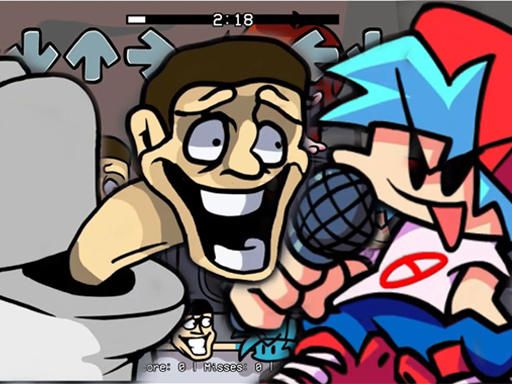
Rhythm Star Idol Game Online offers a polished rhythm experience with clear arrow prompts and a variety of songs. The controls are responsive, and the difficulty curve is well-balanced. It is a safe choice for families, with no inappropriate content. The game successfully combines music and timing challenges in an engaging way.

Plays in your browser — no install.

About this game

Game Introduction

Rhythm Star Idol Game Online is a music-based experience where players follow along with rhythmic arrow patterns. Inspired by popular themes, this game combines the excitement of a rising star journey with interactive gameplay. The core objective is to match on-screen symbols with keyboard inputs in time with the music. It offers a family-friendly way to enjoy rhythm challenges, suitable for players of all ages. The game focuses on timing and coordination, providing a fun and engaging way to improve your sense of rhythm.

How to Play

Players typically start by selecting a mode from the main menu. In each mode, arrow symbols float toward a character on the right side of the screen. You must press the corresponding arrow keys on your keyboard exactly when the symbols align. Hitting notes keeps your health bar full or increases it, while missing too many notes in a row will deplete your health bar and end the game. Staying focused and following the rhythm is key to success. Practice helps you improve your timing and accuracy.

Game Features

The game includes fun rhythm gameplay with simple arrow key controls, making it accessible for everyone. It offers both story mode and free play mode, giving players different ways to enjoy the music. Each song features unique note charts that float across the screen. The game is designed for all ages with no violent or inappropriate content. It helps improve timing and rhythm while being entertaining. The controls are straightforward, allowing quick pickup for new players.

Tips for Success

Practice regularly to improve your timing and accuracy. Focus on the rhythm of the music rather than just watching the arrows. Start with easier songs to build confidence before tackling more challenging charts. Keep your eyes on the center of the screen to see all arrows clearly. Stay relaxed and avoid tensing up, as this can affect your reaction time. If you miss a note, do not panic. Just refocus on the next one. Consistent practice will help you master the game.


Compatibility

✅ Works on PC & Mobile | Recommended: Chrome / Safari / Edge
FAQ
Can I play Rhythm Star Idol Game Online on my mobile device?
The game is primarily designed for desktop browsers with a keyboard. Some mobile browsers may support it, but the arrow key controls are optimized for a physical keyboard. For the best experience, use a computer.
Is there a way to save my progress in Rhythm Star Idol Game Online?
Many online rhythm games save progress automatically in your browser using cookies or local storage. This may include unlocked songs or high scores. Clearing your browser data could reset this progress.
Does the game include songs from popular artists?
The game features original music inspired by popular themes. The exact song list is not specified, but it typically includes a variety of tracks with different tempos and difficulty levels to keep gameplay fresh.
Are there any in-game purchases or ads in Rhythm Star Idol Game Online?
The game is free to play online. It may include occasional ads to support development, but there are no required purchases. Any optional features, if present, would be clearly indicated.
Can I play with friends or compete against others?
The game is primarily a single-player experience. Some online rhythm games may include leaderboards to compare high scores with other players, but this is not confirmed. Check the game menu for any community features.
What should I do if the arrow keys are not responding correctly?
First, ensure your keyboard is working properly. Try refreshing the page or clicking on the game window to give it focus. If issues persist, check your browser settings for any extensions that might interfere with keyboard input.
Advertisement

Related Titles