Play
Mole Typing Challenge
Showtime

Mole Typing Challenge

Educational Learning
Developer: Next Pixel Studios
Published: 2025-09-09
Updated: 2026-06-12

Tap the Moles Typing Game is an excellent educational tool that makes typing practice enjoyable. The classic whack-a-mole concept is cleverly adapted to help players learn letter placement on the keyboard. The increasing difficulty keeps the game engaging without being frustrating. It is perfect for children and anyone looking to improve their typing skills in a playful way. The game is free, easy to access, and works well on desktop computers.

Plays in your browser — no install.

About this game

Game Introduction

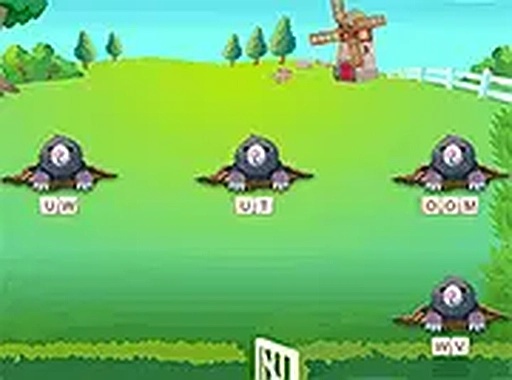
Tap the Moles Typing Game is an educational typing activity that combines classic arcade whack-a-mole mechanics with keyboard practice. Moles pop up from holes, and players type the letters shown on them to score points. The game is designed to help children and beginners improve typing speed and accuracy in a fun, engaging way. It is free to play online and works best on desktop computers with a keyboard.

How to Play

Players use their keyboard to type letters that appear on moles as they emerge from holes. Each correct letter taps the mole and awards points. Moles appear and disappear quickly, so quick reactions are needed. Special items may appear—these should be avoided as they cost points. As players progress, moles move faster and new types may appear, increasing the challenge. The game is simple to learn but becomes more demanding over time.

Game Features

Features include classic arcade-style gameplay with a typing twist, increasing difficulty across levels, and multiple mole types that keep the experience fresh. The game is designed for desktop play, supports full-screen mode for an immersive experience, and is free to play online. It is suitable for kids and anyone looking to practice typing in a playful environment.

Tips for Success

Practice regularly to build muscle memory for the keyboard. Focus on accuracy first, then speed. Try to hit moles when they are fully visible to maximize points. Avoid tapping special items that may appear. As you advance, stay calm and keep your fingers on the home row to react faster. Taking short breaks can help maintain concentration during longer sessions.


Compatibility

This H5 game runs smoothly on:
• Desktop computers (Windows / Mac) • Mobile phones (iPhone / Android)
• Tablets (iPad / Android)
🌐 Best experienced with Chrome, Safari, or Edge
FAQ
Is this game suitable for very young children?
Yes, the game is designed for kids and beginners. The simple letter-typing mechanic makes it accessible for young learners who are just starting to use a keyboard. Parental guidance may be helpful for very young children.
Can I play this game on a mobile device?
The game is designed for desktop play and works best with a keyboard. Mobile devices may not provide the same experience since typing on a touchscreen is different. It is recommended to play on a computer for optimal gameplay.
Do I need to download any software to play?
No, the game is free to play online and runs in a web browser. No downloads or installations are required. Just visit the game page and start playing.
Are there different difficulty levels?
The game features increasing difficulty as you progress. Moles become faster and new types may appear, making the game more challenging over time. This gradual increase helps players improve their typing skills step by step.
What happens if I tap a special item?
Special items that appear should be avoided. Tapping them costs points, so it is important to only type the letters on the moles. Pay attention to what appears on screen to avoid losing your score.
Can I track my progress or scores?
The game likely tracks your score during each session, but specific progress tracking features are not detailed. Playing regularly and aiming for higher scores is a good way to measure improvement.
Advertisement

Related Titles